Mockup and build, in perfect register.
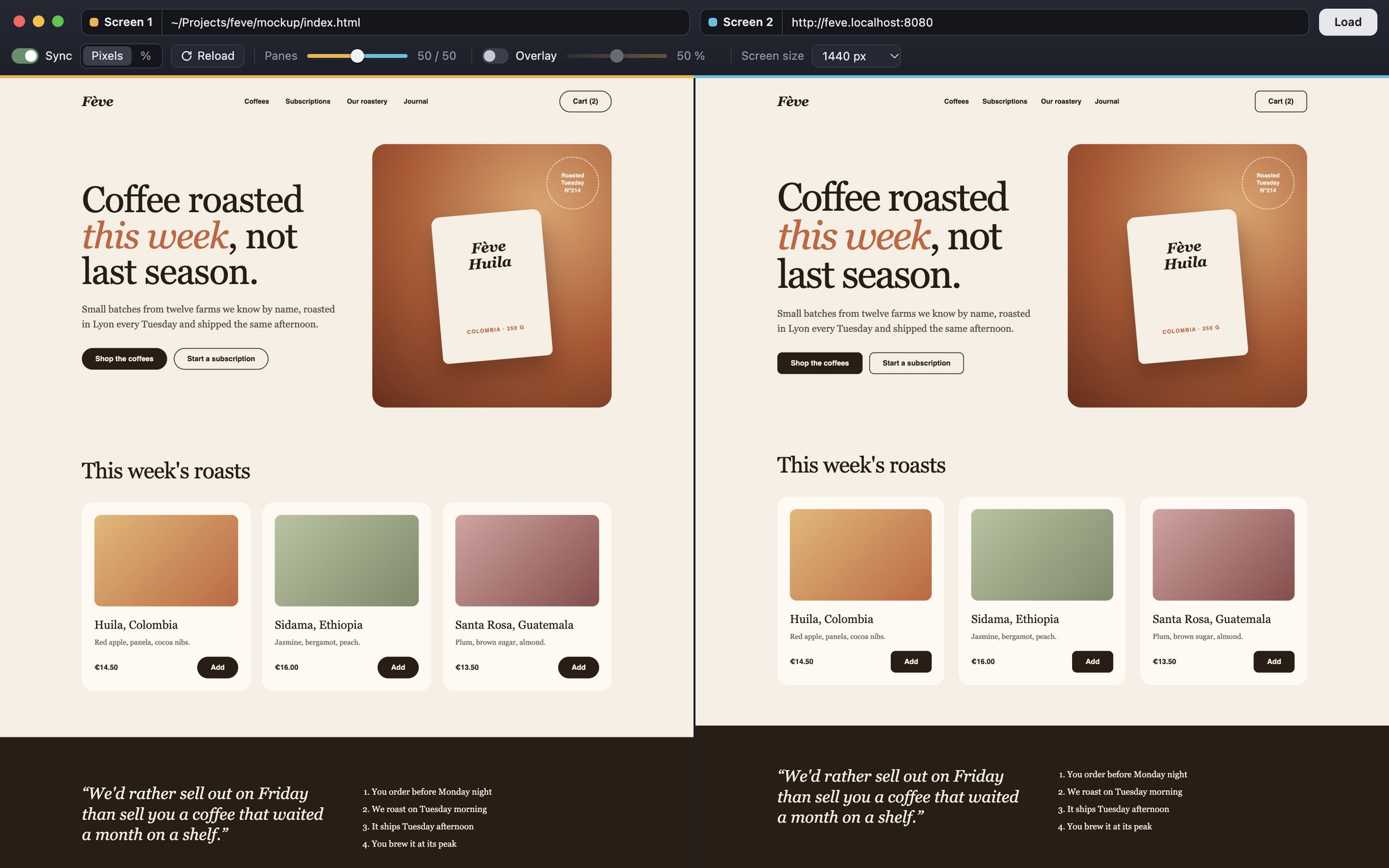
Calque shows two web pages side by side, or stacked like tracing paper, and scrolls them together: mockup and build, before and after a redesign, staging and production. Spot every gap before your client does.
- Free and open source
- macOS, Windows and Linux
- No account, no ads
Why Calque
Comparing two web pages should be easy. An HTML mockup and the site built from it, whatever the CMS or framework. The old version of a site and the redesign. Staging and production.
In practice, you flip between two tabs, squint, and miss the 4-pixel gap your client spots in a second. The tools out there are paid, only pin a static image over the page, or won't open a local file next to localhost.
I couldn't find anything free that did it well, so I built it. Calque does one thing: put two pages face to face, scroll them together, and show you where they differ.
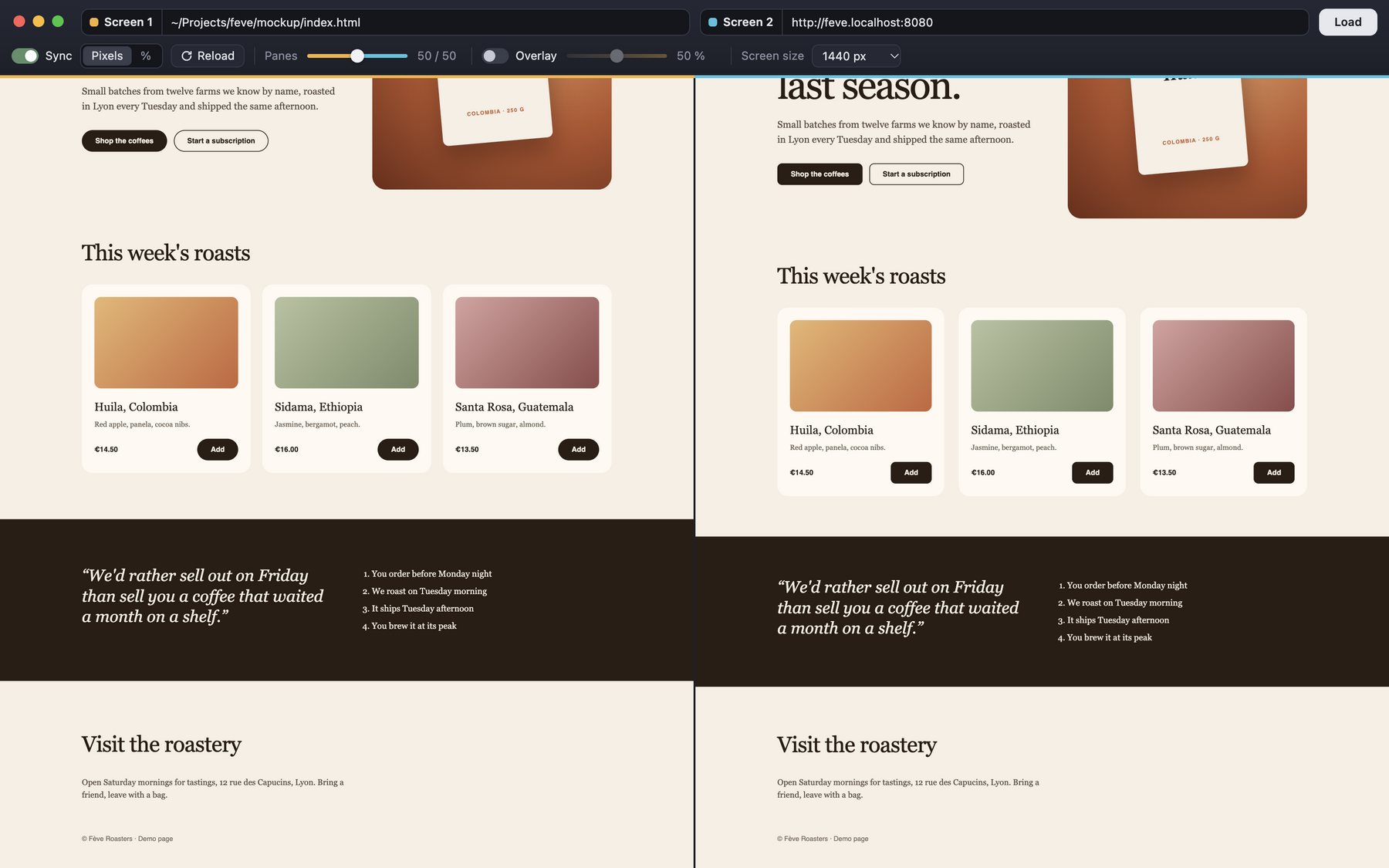
Both pages scroll as one
Scroll one, the other follows. In pixels for an exact match, or by percentage when the two pages aren't the same height.
Stack them, and the gaps jump out
Lay the mockup over the site at any opacity, like tracing paper on a light table. What matches blends in. What doesn't shows up twice.


Drag it: the build's headline is 6 px too big, and its buttons aren't rounded like the mockup's.
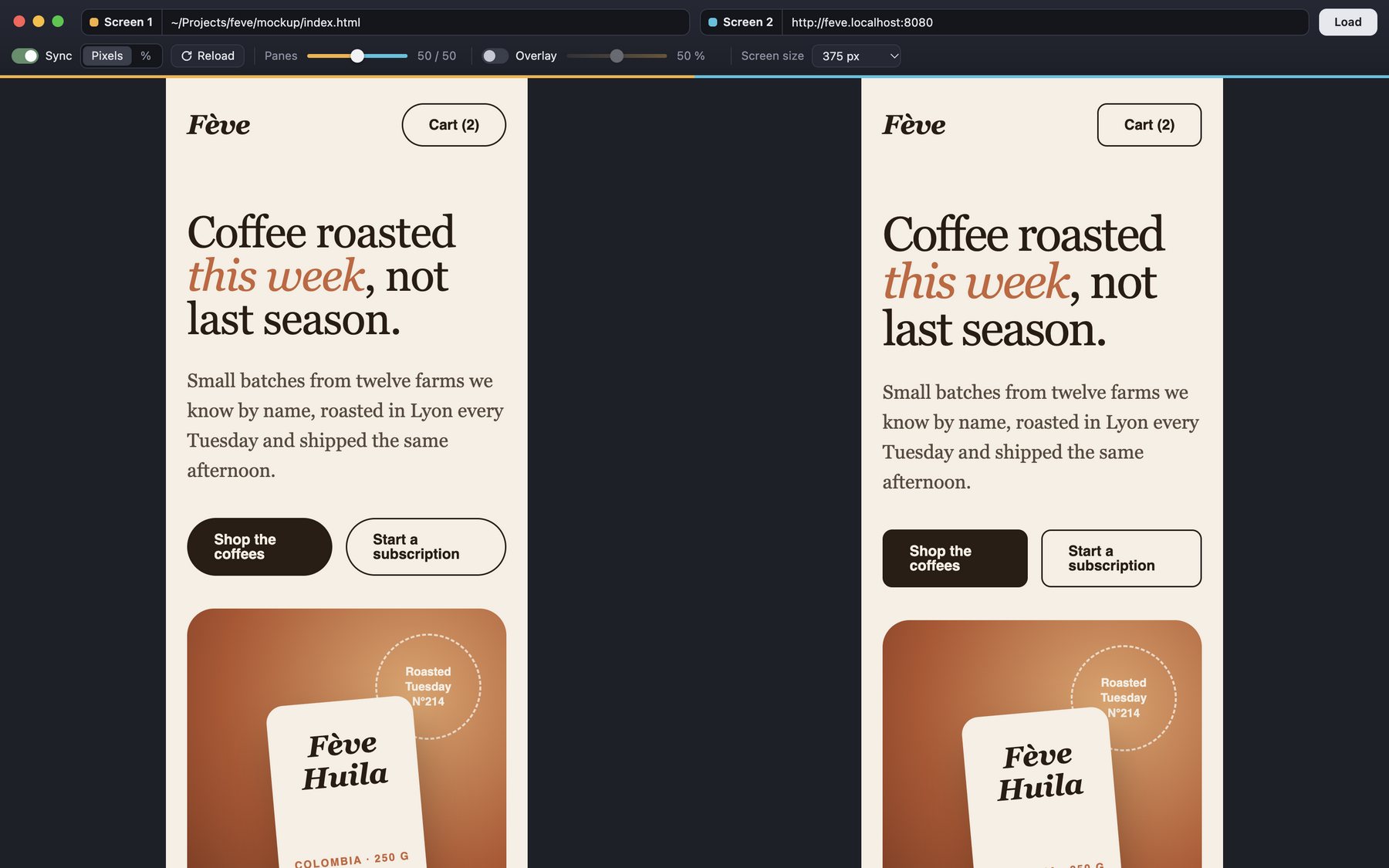
Desktop, tablet and mobile
Pick a screen size and both pages render at that width, even in a narrower pane. 1440 px fits in half your screen; mobile shows at real size.
- 1920 px
- 1440 px
- 1280 px
- 1024 px
- 768 px
- 375 px
Opens whatever you're working with
Local files
A path, a dropped file or a file:// URL.
Your localhost
localhost:8080, a .localhost project, a LAN address.
Self-signed certificates
Accepted on localhost, and only there.
Live sites
Staging, production, or a client's reference site.
Shortcuts

Free. No account. No ads.
Pick your system. Files are published on GitHub, with their checksums.
Rather start from the code? Clone the repository, then run npm install and npm start.
Apple silicon and Intel, macOS 12 or later.
Installing
- Open the .dmg file and drag Calque into Applications.
- On first launch, macOS blocks the app because it isn't notarized by Apple. Go to System Settings, Privacy & Security, and click “Open Anyway”.
- Or, quicker, allow it with this command in Terminal:
xattr -dr com.apple.quarantine /Applications/Calque.app
Questions
Is Calque really free?
Yes. No subscription, no paid tier, no account. The source code is public on GitHub.
Does it work with WordPress, Shopify or another CMS?
Yes, with any web page. Calque compares two URLs or files, whatever tool produced the page.
Can I compare a local HTML file with my site on localhost?
That's exactly what Calque was built for: the mockup as a local file on one side, the build on your dev server on the other.
Why do macOS or Windows show a warning on first launch?
Having an app signed by Apple or Microsoft takes a yearly paid membership. Calque is free and doesn't have one, so your system asks for your consent once. The code is public, and every release ships with SHA-256 checksums.
Which systems does Calque run on?
macOS 12 or later (Apple silicon and Intel), Windows 10 and 11, and Linux as an AppImage, on both x64 and ARM.
Are my pages sent anywhere?
No. Calque collects and sends nothing: pages load directly on your Mac, like in a browser.